
MISAll Back Office — Complete User Manual · MISAll Business Manager (Enhanced Edition) — Complete User Manual
MISAll · DOC-040 · Purchasing and sales documents
From sales order to customer delivery
A sales order records demand; Sales delivery records actual dispatch. This is the normal selling workflow in Enhanced Edition.
Steps
- Create the sales order with customer, warehouse, date, quantities and prices; save and approve.
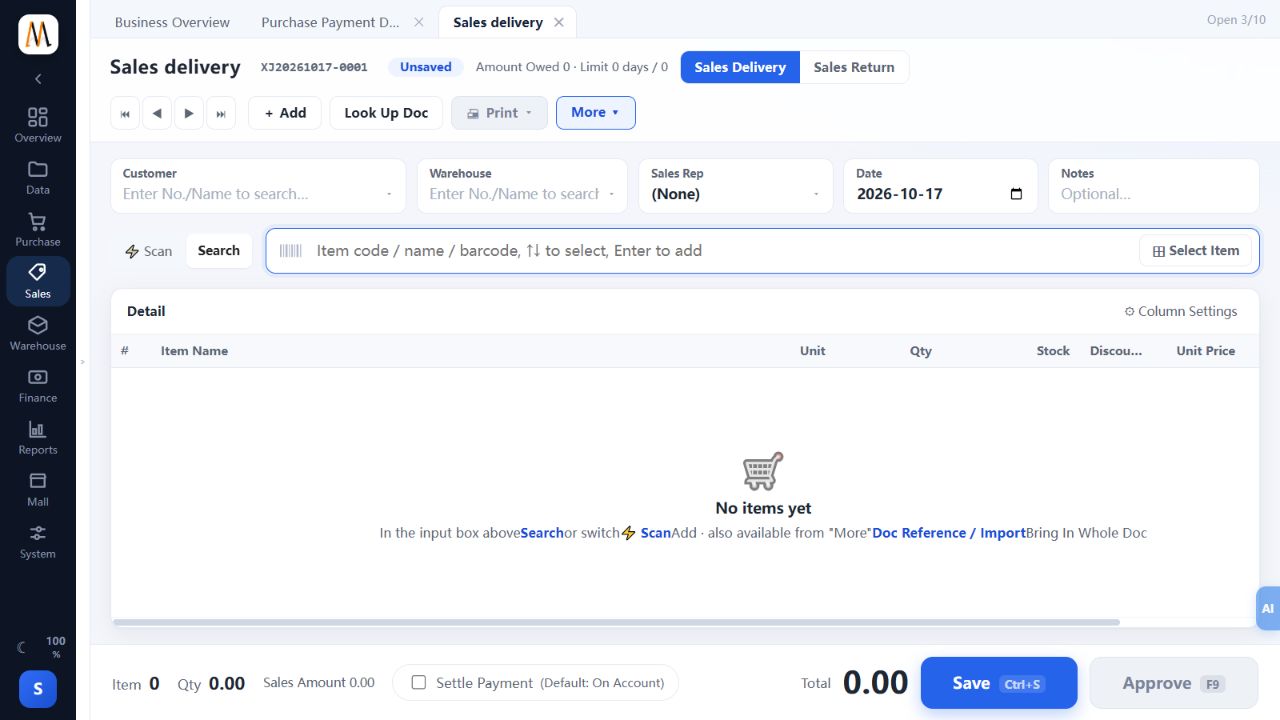
- Open Sales delivery, choose delivery mode and reference the order from More → Doc Reference.
- Check actual dispatched quantities, stock, variants, units and prices. For partial deliveries, include only the goods leaving now.
- Record actual settlement and account, or verify the amount left on credit. Save and approve before issuing the document.
- Check Current Stock, customer receivables and order completion.
Check the result
Approved dispatch reduces stock, payments and balances are explainable, and remaining order quantities are not dispatched twice.
Notes and troubleshooting
A normal delivery document is not automatically a tax-authority-authorized invoice. Enhanced Edition has no tax-authority integration.
