
MISAll Back Office — Complete User Manual · MISAll Business Manager (Enhanced Edition) — Complete User Manual
MISAll · DOC-038 · Purchasing and sales documents
From purchase order to goods receipt
A purchase order records what was ordered; a purchase receipt records what arrived. Only the approved receipt changes stock.
Steps
- Create a purchase order with supplier, warehouse, date, quantities and prices, then save and approve.
- When goods arrive, open Purchase In and reference the corresponding order from More → Doc Reference.
- Adjust to the actual received quantity and check units, prices, batches and dates. Do not receive goods that have not arrived.
- Record any actual payment and settlement account, or leave the correct amount on account. Save and approve.
- Check Current Stock, the supplier balance and the order’s received/remaining quantities. Reconcile later deliveries against the same order.
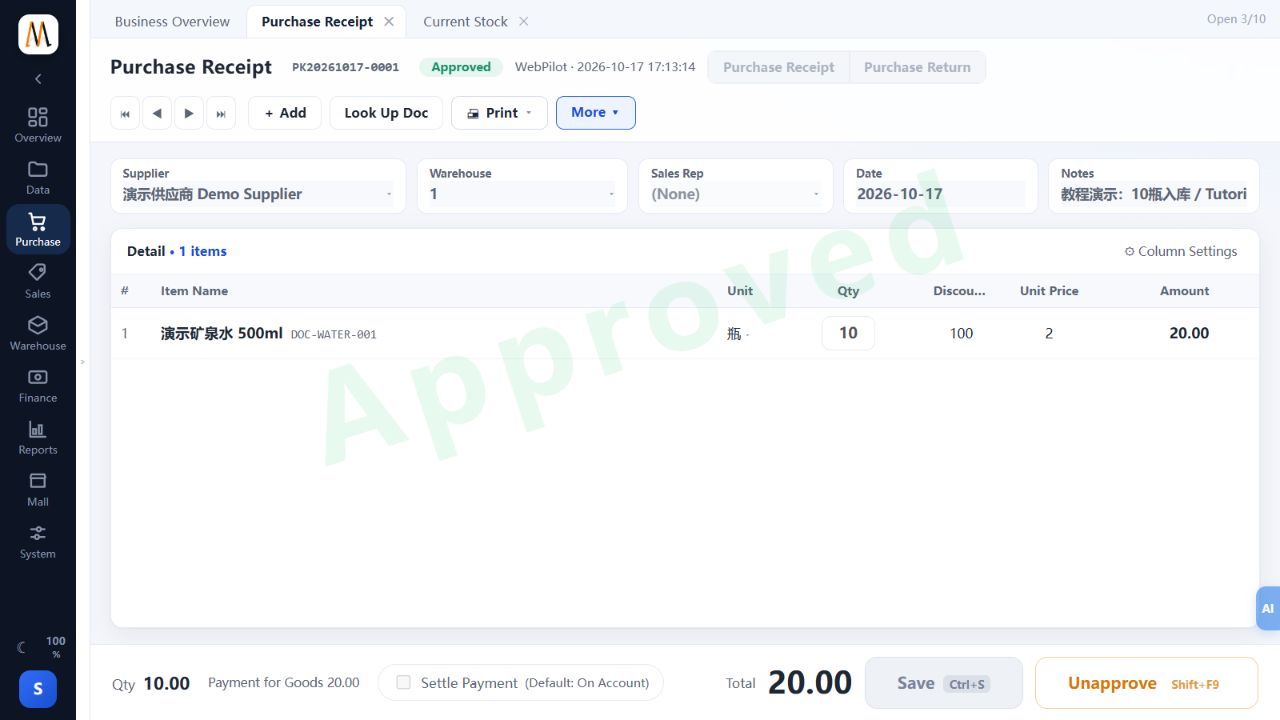
Check the result
Received goods increase stock while outstanding order quantities remain traceable.
Notes and troubleshooting
The linked worked example verifies receipt of ten bottles at 2 each; it does not establish every supplier-settlement or hardware scenario.
