
MISAll Back Office — Complete User Manual · MISAll Business Manager (Enhanced Edition) — Complete User Manual
MISAll · DOC-086 · Maintenance and advanced workflows
Batch pricing, product images and barcode labels
Limit the product scope before a batch change and verify the target field. Selling price, reference purchase price and cost are not interchangeable.
Steps
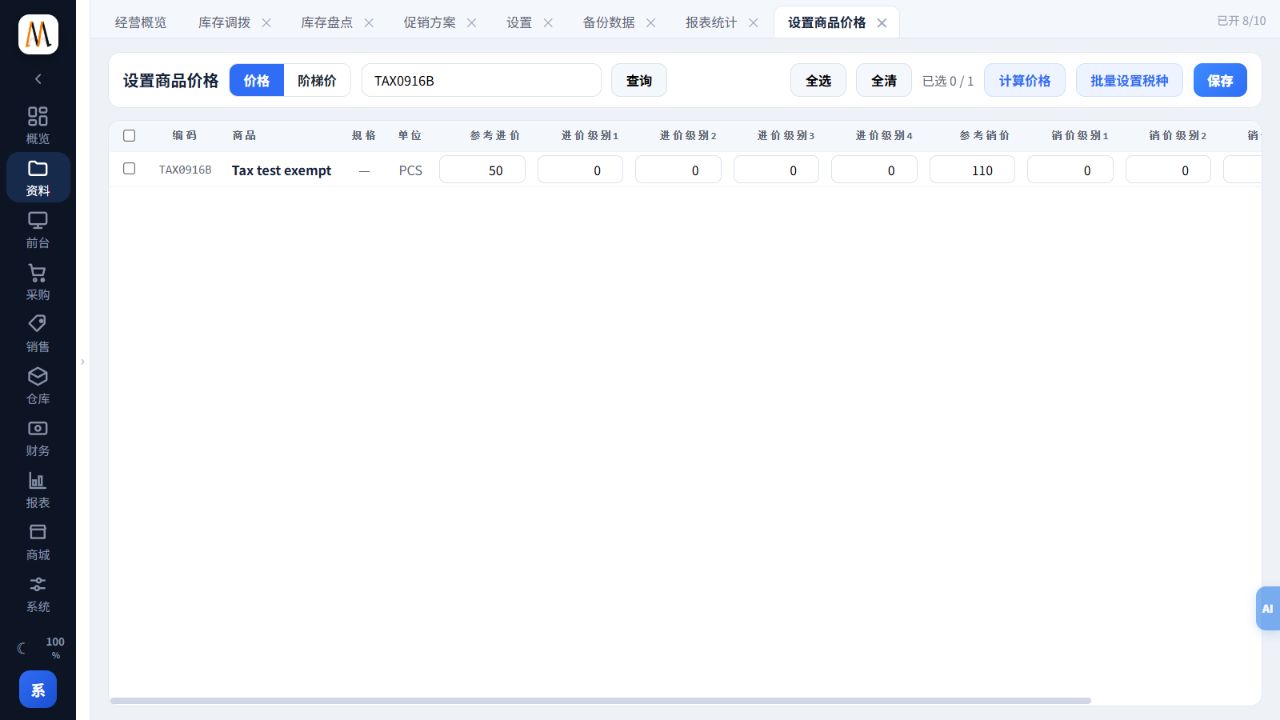
- Open Data → Set Item Price, search the intended codes/names/barcodes and select only the relevant products.
- Edit the correct price column. For calculated prices, inspect the base value, factor and target, testing a small sample before saving.
- Maintain quantity breaks in tier pricing and verify quantities below and above each threshold in the selling workflow.
- Manage images against the correct item code and verify the actual storefront/device display when used externally.
- For labels, check selected products, unit barcodes, price and count; test one label before batch output.
Check the result
Only intended records/fields change and labels agree with price and unit data.
Notes and troubleshooting
The pricing screenshot shows a test item in an isolated company. No price change was saved.
