
MISAll Back Office — Complete User Manual · MISAll Business Manager (Enhanced Edition) — Complete User Manual
MISAll · DOC-028 · Items, stores and customer data
Create products: barcode, names, unit and prices
Purchasing, stock control and checkout share the product record. Keep a stable item code and ensure each barcode identifies the correct unit.
Steps
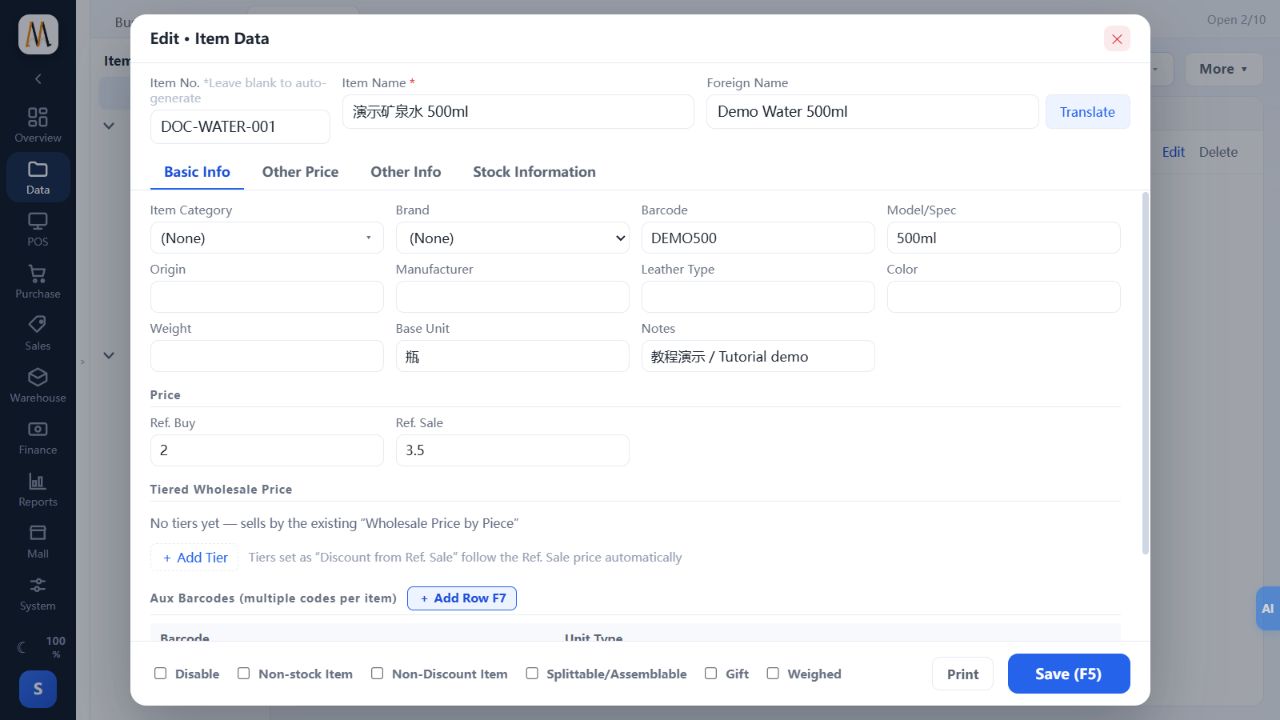
- Open Data → Item Data and add a record with the name, foreign name and agreed item code.
- Enter the primary barcode, category, base unit, reference purchase and sale prices. The example uses DOC-WATER-001, DEMO500, purchase price 2 and sale price 3.50.
- Configure wholesale prices, additional units, auxiliary barcodes, batches or variants only when needed and enabled.
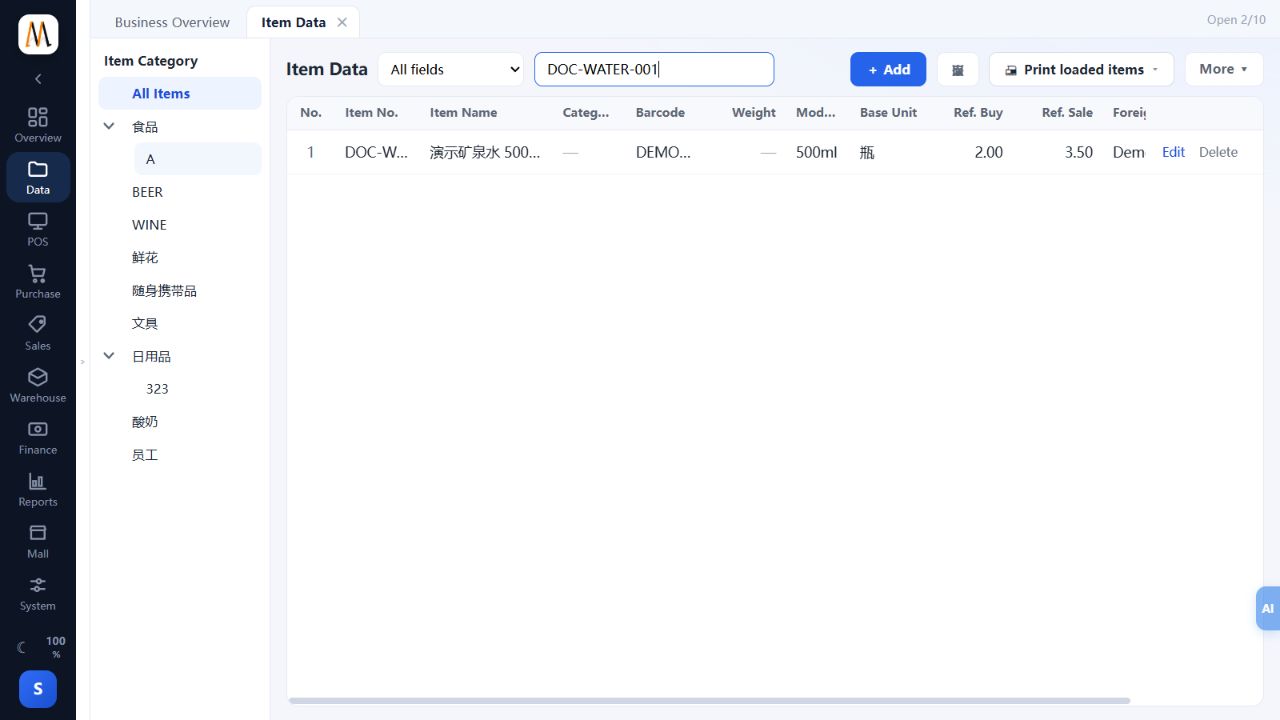
- Save, search by code or barcode and reopen the record. Verify the same item is available in checkout or document selection.
- Treat changes to units and deletion carefully once business exists; use the proper inactive-item process for discontinued products.
Check the result
The barcode finds the correct item with the correct unit and price. Creating the record does not add stock.
Notes and troubleshooting
DEMO500 is an internal demonstration code, not a registered international retail barcode. The old product Promotion Settings tab is not part of this workflow.
