
MISAll Back Office — Complete User Manual · MISAll Business Manager (Enhanced Edition) — Complete User Manual
MISAll · DOC-054 · Payments and business reports
Advances, offsets and direct payments
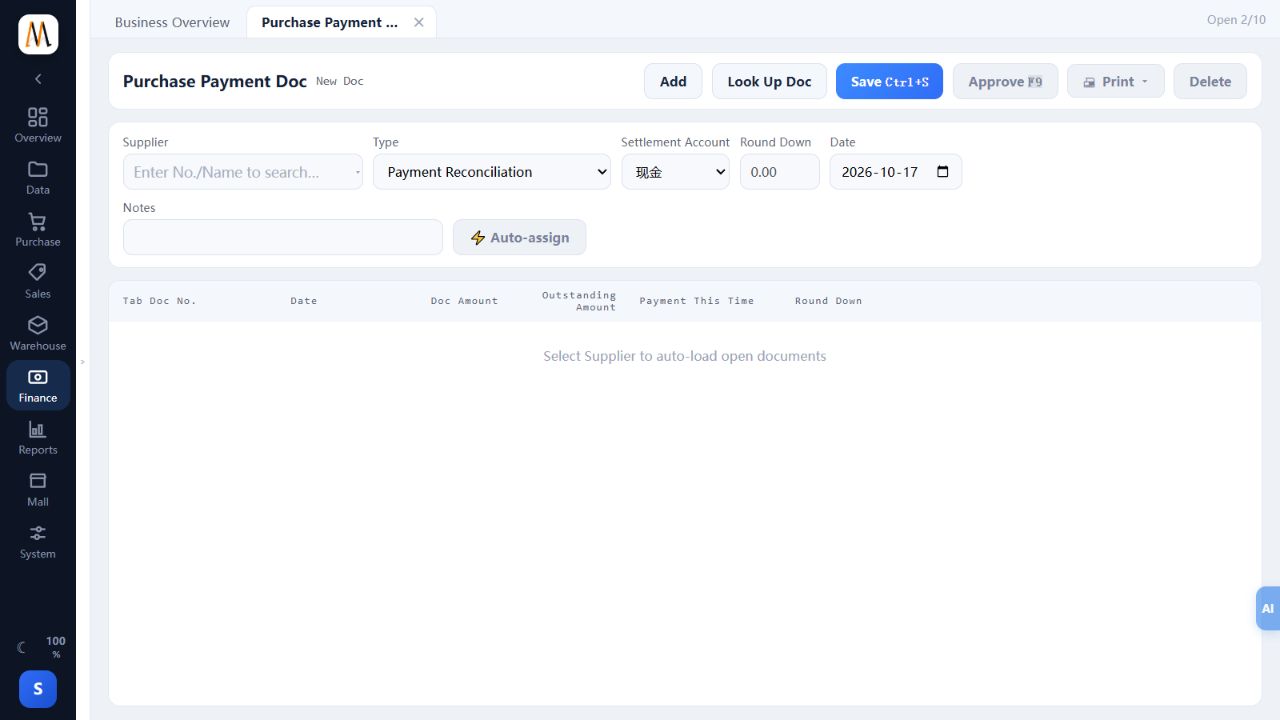
The current payment pages include allocation, advances, applying advances, transferring balances to advances and direct payment/receipt types. Choose the business meaning first.
Steps
- For actual money against known open documents, choose allocation and distribute it to those documents.
- For a customer deposit or supplier advance, choose the corresponding advance type and verify funds and advance balances.
- To use an existing advance, choose Apply Advance to Receivable/Payable and inspect available balance and original documents. This is not another cash payment.
- Have the finance lead control balance-to-advance and direct-payment types, including their direction and allocation implications.
- After approval, inspect counterparty, advance and cash ledgers together.
Check the result
Funds are recorded once and balances remain in their correct categories.
Notes and troubleshooting
Choose the type that matches the business event. If the balance direction is unclear, have the finance lead check the original documents and counterparty ledger first.
