
MISAll Back Office — Complete User Manual · MISAll Business Manager (Enhanced Edition) — Complete User Manual
MISAll · DOC-052 · Payments and business reports
Pay suppliers and allocate payables
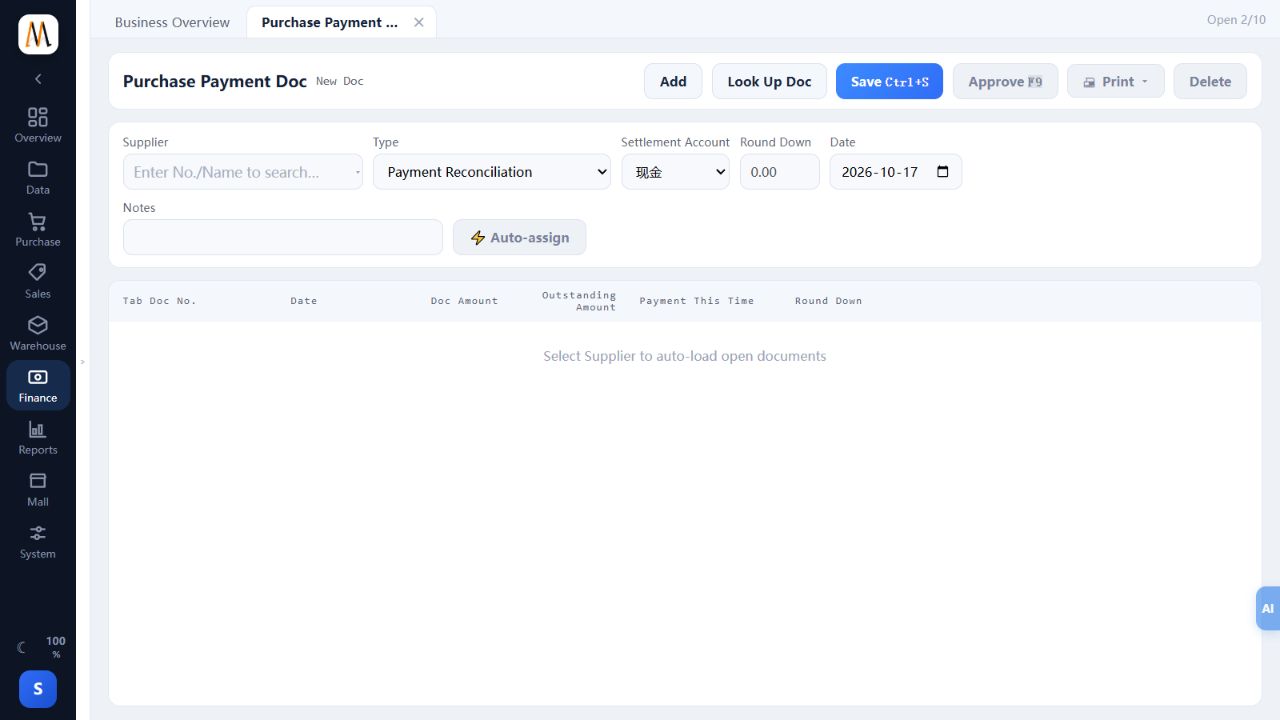
Use Purchase Payment Doc to record supplier payments. Allocation matches actual money to outstanding documents; Accounts Payable itself is a query view.
Steps
- Select the supplier in Accounts Payable and reconcile open documents against the supplier statement.
- Create Purchase Payment Doc with the same supplier, Payment Reconciliation type, actual settlement account and date.
- Enter Payment This Time against each document and any allowed round-down on that row. Their total must not exceed the outstanding amount.
- Check the actual payment total, save and approve. Review each row even after using Auto-assign.
- Recheck the original balances and account movement; leave unpaid remainders for later allocation.
Check the result
Payables decrease by payment plus agreed rounding, while funds decrease only by actual payment.
Notes and troubleshooting
Recording a local payment document does not transfer money to the supplier’s bank.
