
MISAll · DOC-020 · Checkout and shifts
Find a sale and reprint its receipt
Sales history is the first place to establish whether checkout completed. No paper does not mean no sale, and reprinting should not create another transaction.
Steps
- Open Sales Details from Other Functions, normally Ctrl+J.
- Choose retail or the relevant document type, include the transaction time in the date range and search by document number.
- Check goods, quantity, amount due, methods, cash tendered and change. Net cash equals tendered cash minus change.
- Reprint only after identifying the correct original sale. Investigate the printer instead of charging again.
- If no record appears, check store, date boundaries, connection mode and pending offline uploads.
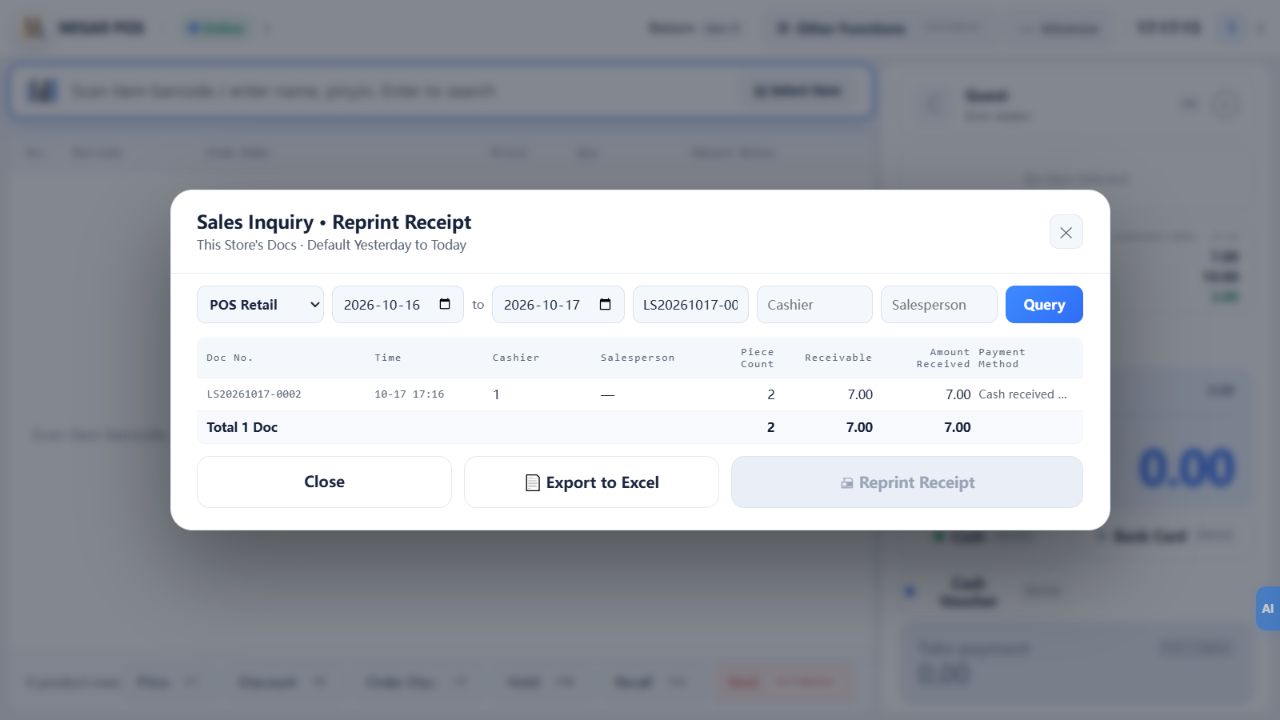
Check the result
The transaction is identifiable by number, its cash figures reconcile and reprinting produces no new sale.
Notes and troubleshooting
“Received” can refer to gross tender or net receipt in different windows. Read it together with change and the field context.
