
MISAll Back Office — Complete User Manual · MISAll Business Manager (Enhanced Edition) — Complete User Manual
MISAll · DOC-046 · Inventory and stocktaking
Transfer stock between warehouses or stores
Approval reduces the source warehouse and increases the destination. Physical transit and handover still require operational control.
Steps
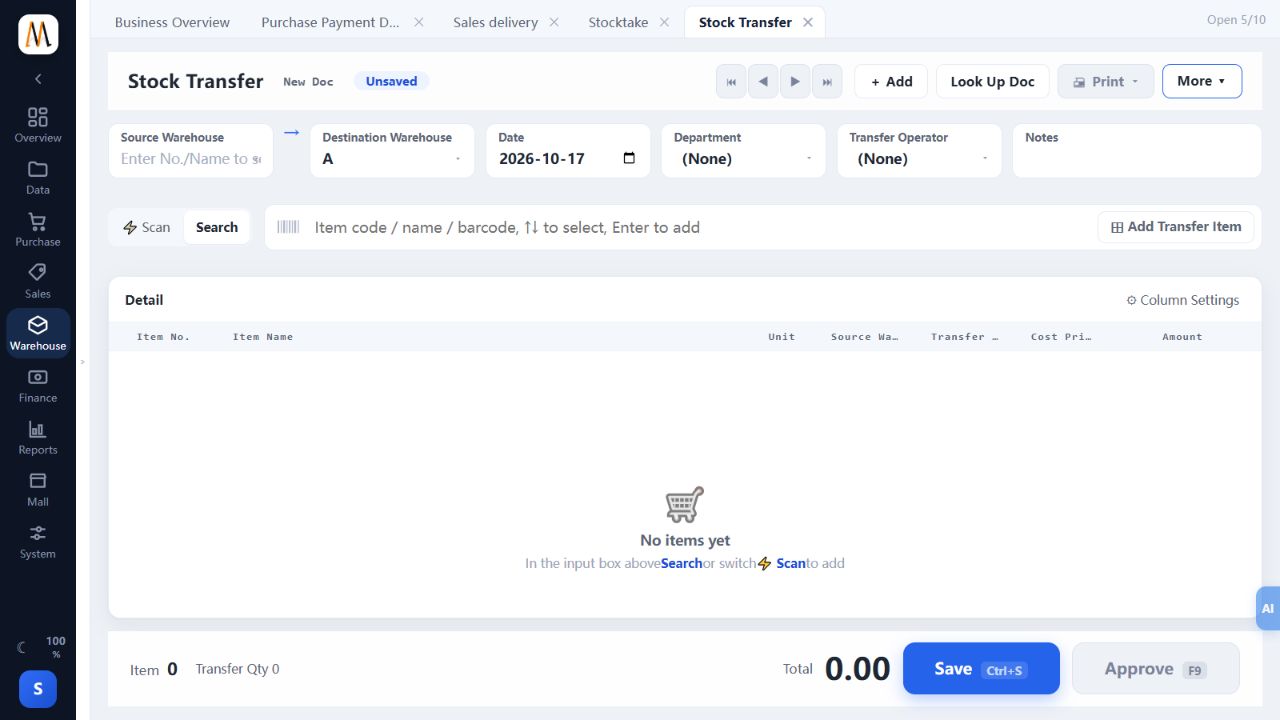
- Create Stock Transfer with different source and destination warehouses.
- Enter the actual goods, quantities and batches, and check source availability.
- Verify date, responsible person and notes, then save and obtain approval.
- Query both warehouses and reconcile the corresponding decrease and increase.
- Have the receiving party count goods and retain handover evidence; handle discrepancies through an authorized correction.
Check the result
Both warehouse movements and the physical handover agree.
Notes and troubleshooting
This document does not imply a separately configured transit, second-receipt or intercompany settlement workflow.
